How to resize an image for Twitch Channel Points
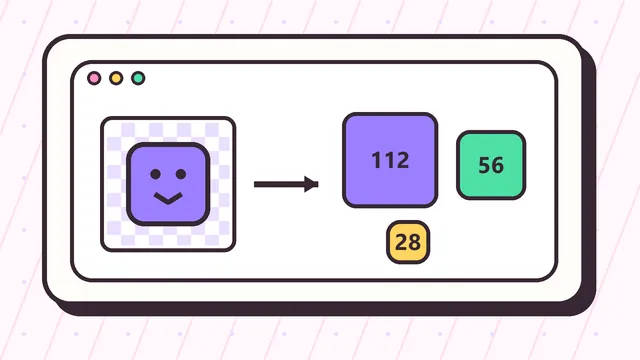
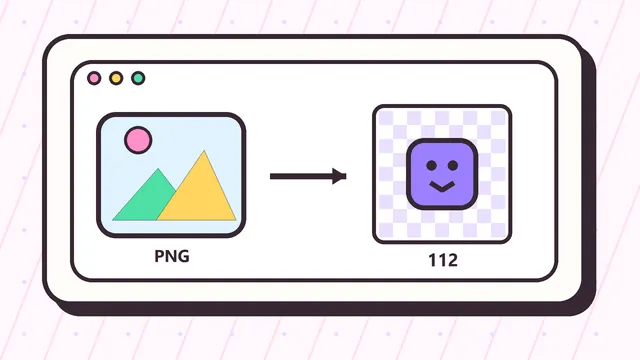
Upload a square PNG, JPG, or WebP in the tool above. Choose fit mode to preserve the whole image with transparent padding, or crop mode to fill the square. The browser creates 112x112, 56x56, and 28x28 PNG files without sending the source image to a server.
Review all three outputs before downloading. The 28x28 preview is the most important test because a design that looks polished at 112 pixels can become an unreadable dot in the smaller reward interface.
Twitch Channel Points icon sizes
Custom reward artwork should be prepared in three square sizes: 112x112, 56x56, and 28x28 pixels. Keeping the same composition and alignment across the set prevents the reward from shifting between larger and smaller placements.
Start from a source larger than 112 pixels when possible. Use a transparent background, a bold silhouette, and enough empty space around the subject so edges are not clipped after resizing.
Fit mode versus crop mode
Fit mode keeps the complete source and adds transparent padding when the image is rectangular. It is the safer choice for logos, mascots, or icons whose outer edges must remain visible.
Crop mode fills the square and removes outer areas. Use it when the subject is too small because of excess background, but inspect the 28px result carefully to make sure the main shape is not cut off.
Design a reward icon that stays readable
Use one recognizable object rather than a scene. Faces, stars, hearts, coins, crowns, and simple channel symbols usually survive reduction better than text or detailed illustrations.
Avoid thin outlines, small numbers, and long words. If the reward needs a label, keep the label in the Twitch reward name and let the uploaded image work as a simple visual cue.
Final checks before Twitch upload
Confirm that every file is square, the background is transparent when needed, and the three filenames clearly show their dimensions. Open the files on both light and dark backgrounds to catch weak contrast or accidental white edges.
This resizer changes dimensions and fit; it cannot repair a low-resolution or overly complex source. If the smallest preview is unclear, simplify the original artwork and export again instead of repeatedly resizing a weak image.