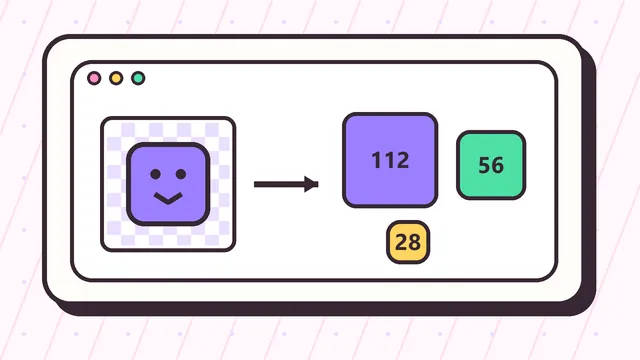
The three Twitch emote sizes
The most common Twitch emote upload set uses 112x112, 56x56, and 28x28 pixel images. The 112px version gives Twitch a clean large file, the 56px version supports sharper rendering on high-density screens, and the 28px version represents the size viewers usually see in chat.
When artwork fails as a Twitch emote, the problem is often not the export settings. It is usually that the design has too much detail for 28x28. The safest workflow is to resize the emote, preview the smallest result, then adjust the source art if the expression is unclear.
Best source image size
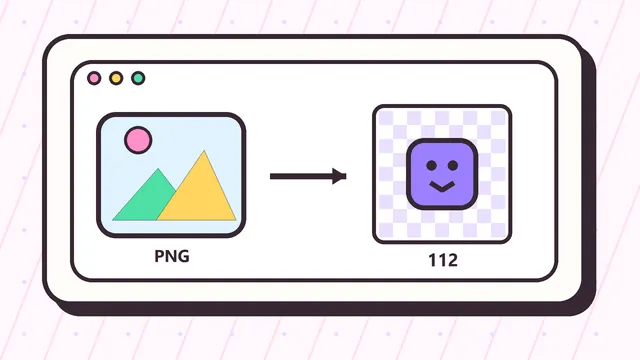
A larger square source image gives the resizer more information to work with. If you have original artwork, export a clean transparent PNG at 500x500, 1000x1000, or another high-resolution square size before generating Twitch emote sizes.
Non-square images can still work, but they need a choice. Transparent padding preserves the full image, while cropping fills the emote square. For faces, pets, logos, and reaction art, a tighter crop often reads better in chat.
Manual sizes versus auto-resize
Twitch can accept a single large square source for auto-resizing in some workflows, but many creators still want manual outputs. Manual sizes make it easier to inspect each result, keep a ZIP backup, and hand files to a moderator, designer, or channel manager.
The homepage Twitch emote resizer creates the manual set instantly, so you can download all three files and upload them with confidence.
Example Twitch emote size workflow
A practical Twitch emote size workflow starts with one high-resolution source image, then tests the same design at every upload size. For example, a 1000x1000 transparent PNG of a face can be resized into 112x112, 56x56, and 28x28. If the smile is clear at 112x112 but disappears at 28x28, the answer is not another export setting. The source art needs a tighter crop, stronger contrast, or simpler expression.
The tool above makes that check fast because the small file is visible immediately. Upload the source, keep transparent padding if the whole silhouette matters, or crop if the subject is too small. Download the ZIP only after the 28x28 preview still looks like the intended Twitch emote.
When Twitch emote size affects approval
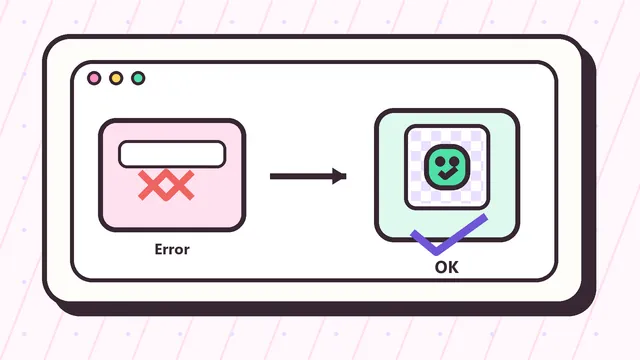
Wrong dimensions are one of the easiest upload problems to avoid. A file that is 113x112, 512x400, or saved from a non-square canvas can fail even if the artwork looks fine. This Twitch emote size guide keeps the standard manual sizes visible so you can match the file to the correct Twitch upload slot.
File format matters too. Transparent PNG is usually the safest choice for static emotes because it keeps clean edges and avoids a solid background box in chat. JPG can work for simple photo crops, but it cannot preserve transparency. Animated artwork should be planned separately because a GIF has file-size and frame-count concerns in addition to pixel size.
Compare emote sizes with badge sizes
Twitch emote size and Twitch badge size are easy to mix up because both use three square files. Emotes use 112x112, 56x56, and 28x28. Subscriber badges use 72x72, 36x36, and 18x18. Uploading the wrong set creates confusion and can make an otherwise good design look soft or too small.
If you are making both assets for a channel launch, resize the emote first, then switch the output set to badges and test the icon again. The 18x18 badge version is even less forgiving than a 28x28 emote, so a design that works as an emote may still need simplification before it becomes a readable badge.
How to judge a finished emote size set
After exporting, open the three files together and judge them as a set. The large file should look clean, the middle file should keep the same expression, and the smallest file should still be instantly recognizable. This Twitch emote size check is more useful than only confirming numbers in a file name.
If one size looks noticeably weaker, return to the source image before uploading. Small adjustments to crop, padding, contrast, or outline thickness can improve every Twitch emote size at once and prevent repeated upload attempts later.